
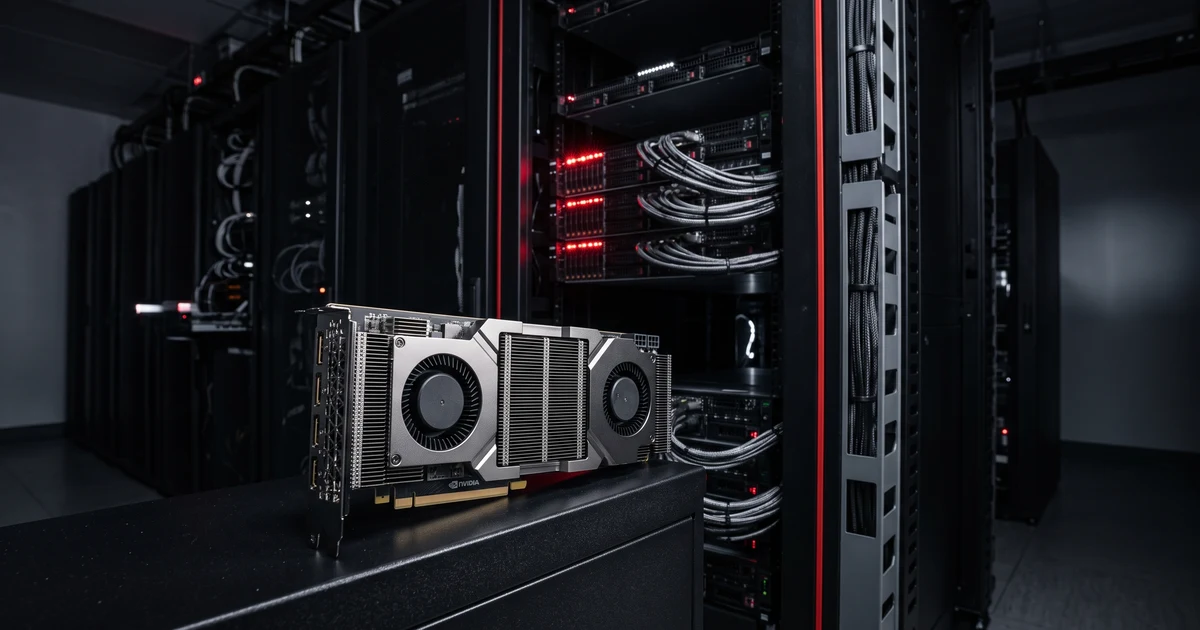
Generate comprehensive, redacted diagnostic bundles from NVIDIA L40 hosts for troubleshooting. This guide collects GPU status, driver information, system logs, and hardware diagnostics while automatically scrubbing sensitive data like IP addresses, API tokens, and credentials.
This entire debug collection workflow is available as a machine-readable recipe in the Massed Compute MCP. Skip the manual steps and let an AI agent handle the collection, redaction, and bundle creation automatically.
When troubleshooting GPU workloads on NVIDIA L40 instances, you need comprehensive diagnostic data that’s safe to share with support teams. This guide creates a complete debug bundle containing system information, GPU telemetry, driver details, and application logs while automatically redacting sensitive information.
The automated collector gathers over 30 diagnostic files including nvidia-smi output, kernel logs, hardware information, and network configuration. A built-in Python redactor removes IP addresses, API tokens, MAC addresses, and sensitive home directory paths before packaging everything into a compressed tarball.
| Component | Requirement | Notes |
|---|---|---|
| OS | Ubuntu 24.04 LTS | With NVIDIA driver installed |
| GPU | NVIDIA L40 | Driver functional, nvidia-smi working |
| Python | Python 3 with standard library | For data redaction |
| Access | SSH with sudo privileges | Some diagnostics require root |
| Resource | Minimum | Recommended |
|---|---|---|
| vCPU | 4 cores | 6+ cores |
| RAM | 16 GB | 32 GB |
| Storage | 256 GB | 300 GB |
| Free Space | 200 MB in home directory | 500 MB for larger logs |
Massed Compute VM Pricing
Choose from our L40-capable GPU instances. All SKUs include NVIDIA driver pre-installation and 24/7 support.
| SKU | Description | vCPU | RAM | Storage | Price | Capacity |
|---|---|---|---|---|---|---|
gpu_1x_A30 |
1x A30 (24GB) | 16 | 48 GiB | 256 GB | $0.35/hr | 0 |
gpu_1x_a5000 |
1x RTX A5000 (24GB) | 10 | 32 GiB | 256 GB | $0.44/hr | 0 |
gpu_1x_a6000_spot |
1x RTX A6000 (48GB) [Spot] | 6 | 32 GiB | 256 GB | $0.50/hr | 10 |
gpu_1x_a6000_low_ram |
1x RTX A6000 (48GB) [ALT Config] | 6 | 32 GiB | 256 GB | $0.55/hr | 10 |
gpu_1x_a6000 |
1x RTX A6000 (48GB) | 6 | 48 GiB | 256 GB | $0.57/hr | 3 |
gpu_1x_a6000_high_ram |
1x RTX A6000 (48GB) [Premium] | 6 | 96 GiB | 300 GB | $0.57/hr | 1 |
Step-by-Step Debug Bundle Collection
Connect and Verify Prerequisites
SSH to your L40 host and confirm the system is ready for diagnostic collection.
ssh YOUR_VM_IP

# Verify system readiness
hostname; ip -br addr show scope global
df -h ~ | awk 'NR==2 {print $4 " free"}'
sudo -n true 2>/dev/null && echo "sudo ok" || echo "sudo will prompt"
python3 -c 'import re, os, ipaddress' && echo "python3 ok"
which nvidia-smi >/dev/null && nvidia-smi -L | head -5 || echo "WARN: nvidia-smi not found"
Ensure you have at least 200 MB free space and that nvidia-smi returns GPU information.
Set Optional Application Log Path
If you want to include application-specific logs in the bundle, set the APP_LOG environment variable.
# Optional: include the last 200 lines of your workload log
export APP_LOG=/path/to/your/application.log
The collector will include the tail of this log file if it exists and is readable.
Run the Debug Collection Script
Execute the complete collection and redaction script. This creates a timestamped directory and gathers all diagnostic data.
# Complete debug bundle collection script
set -euo pipefail
HOST=$(hostname -s)
TS=$(date +%Y%m%dT%H%M%SZ)
BUNDLE=~/debug-bundles/debug-bundle-${HOST}-${TS}
mkdir -p "$BUNDLE"/{identity,hardware,gpu,driver,cuda,logs,network,disk,workload,app}

# 1. System identity
hostname > "$BUNDLE/identity/hostname.txt"
uname -a > "$BUNDLE/identity/uname.txt"
cat /etc/os-release > "$BUNDLE/identity/os-release.txt"
uptime > "$BUNDLE/identity/uptime.txt"
who > "$BUNDLE/identity/who.txt" || true
last -F 2>/dev/null | head -10 > "$BUNDLE/identity/last.txt" || true

# 2. Hardware information
lspci -nn 2>/dev/null | grep -iE 'nvidia|vga|3d controller' > "$BUNDLE/hardware/lspci-summary.txt" || true
PCI_IDS=$(lspci -nn 2>/dev/null | awk '/NVIDIA/{print $1}')
for id in $PCI_IDS; do
  sudo lspci -v -s "$id" > "$BUNDLE/hardware/lspci-v-${id//[:.]/_}.txt" 2>&1 || true
done
sudo dmidecode -t system 2>/dev/null > "$BUNDLE/hardware/dmidecode-system.txt" || true

# 3. GPU diagnostics
nvidia-smi -q > "$BUNDLE/gpu/nvidia-smi-q.txt" 2>&1 || echo "nvidia-smi -q failed" > "$BUNDLE/gpu/nvidia-smi-q.txt"
nvidia-smi --query-gpu=index,name,driver_version,vbios_version,memory.total,memory.used,utilization.gpu,utilization.memory,temperature.gpu,power.draw,ecc.errors.uncorrected.volatile.total,ecc.errors.uncorrected.aggregate.total --format=csv > "$BUNDLE/gpu/nvidia-smi-csv.txt" 2>&1 || true
nvidia-smi topo -m > "$BUNDLE/gpu/nvidia-smi-topo.txt" 2>&1 || true
nvidia-smi --query-compute-apps=pid,process_name,used_memory --format=csv > "$BUNDLE/gpu/compute-apps.csv" 2>&1 || true
Continue Data Collection
The script continues collecting driver, CUDA, system logs, and network information.
# 4. Driver and kernel info
dpkg -l 2>/dev/null | grep -iE 'nvidia|cuda' > "$BUNDLE/driver/dpkg-nvidia.txt" || true
lsmod | grep -E '^nvidia' > "$BUNDLE/driver/lsmod-nvidia.txt" || true
modinfo nvidia 2>/dev/null | head -20 > "$BUNDLE/driver/modinfo-nvidia.txt" || true
uname -r > "$BUNDLE/driver/kernel.txt"
dpkg -l 2>/dev/null | grep -E "linux-(image|headers)-$(uname -r)" > "$BUNDLE/driver/dpkg-kernel.txt" || true

# 5. CUDA installation
which nvcc > "$BUNDLE/cuda/which-nvcc.txt" 2>&1 || true
nvcc --version > "$BUNDLE/cuda/nvcc-version.txt" 2>&1 || true
ls -ld /usr/local/cuda* 2>/dev/null > "$BUNDLE/cuda/usr-local-cuda.txt" || true
ldconfig -p 2>/dev/null | grep -iE 'cuda|cudnn|nccl' > "$BUNDLE/cuda/ldconfig-cuda.txt" || true

# 6. System logs
sudo dmesg -T 2>/dev/null | tail -500 > "$BUNDLE/logs/dmesg-tail.txt" || true
sudo journalctl -k -b 0 2>/dev/null | tail -500 > "$BUNDLE/logs/journal-kernel-tail.txt" || true
sudo journalctl -u nvidia-persistenced --since "1 hour ago" 2>/dev/null > "$BUNDLE/logs/journal-nvidia-persistenced.txt" || true
sudo journalctl -p err -b 0 2>/dev/null | tail -200 > "$BUNDLE/logs/journal-errors.txt" || true
Complete Collection and Redaction
Finish data collection, run the Python redactor, and create the final tarball.
# 7. Network configuration
ip -br addr > "$BUNDLE/network/ip-addr.txt"
ip route > "$BUNDLE/network/ip-route.txt"
cat /etc/resolv.conf > "$BUNDLE/network/resolv-conf.txt" 2>/dev/null || true
ss -ltnp > "$BUNDLE/network/ss-listen.txt" 2>/dev/null || true
sudo iptables -L -n 2>/dev/null | head -50 > "$BUNDLE/network/iptables.txt" || true

# 8. Disk usage
df -h > "$BUNDLE/disk/df-h.txt"
df -i > "$BUNDLE/disk/df-i.txt"
du -sh ~/* 2>/dev/null | sort -h | tail > "$BUNDLE/disk/du-home.txt" || true

# 9. Running processes and environment
ps -ef --sort=-%mem 2>/dev/null | head -20 > "$BUNDLE/workload/ps-mem.txt" || true
env > "$BUNDLE/workload/env.txt"

# Include application log if specified
APP_LOG="${APP_LOG:-}"
if [ -n "$APP_LOG" ] && [ -r "$APP_LOG" ]; then
  tail -200 "$APP_LOG" > "$BUNDLE/app/$(basename "$APP_LOG").tail.txt"
fi
Apply Privacy Redaction
Run the automated redaction to remove sensitive information from all collected files.
# Redaction using Python
RED_COUNTS=$(python3 - "$BUNDLE" <<'PY'
import os, re, sys, ipaddress
root = sys.argv[1]
ips = tokens = macs = paths = 0
ip_re   = re.compile(r'(?'; ips += 1
    return ip_map[s]
def repl_mac(m):
    global macs; macs += 1; return ''
def repl_tok(m):
    global tokens; tokens += 1; return ''
def repl_home(m):
    global paths; paths += 1; return ''
def repl_env(m):
    global tokens; tokens += 1; return m.group(1) + '='
for dp, _, fs in os.walk(root):
    for f in fs:
        p = os.path.join(dp, f)
        try:
            with open(p, 'r', errors='replace') as fh: s = fh.read()
        except Exception:
            continue
        s = ip_re.sub(repl_ip, s)
        s = mac_re.sub(repl_mac, s)
        s = tok_re.sub(repl_tok, s)
        s = home_re.sub(repl_home, s)
        s = env_re.sub(repl_env, s)
        with open(p, 'w') as fh: fh.write(s)
print(f"{ips} {tokens} {macs} {paths}")
PY
)
Create Final Bundle
Package everything into a compressed tarball with manifest and verification information.
# Parse redaction results and create summary
read R_IPS R_TOKENS R_MACS R_PATHS <<< "$RED_COUNTS"
echo "Redacted: ${R_IPS} IPs, ${R_TOKENS} tokens, ${R_MACS} MACs, ${R_PATHS} home paths" \
  | tee "$BUNDLE/REDACTION_SUMMARY.txt"

# Create manifest and tarball
( cd "$BUNDLE" && find . -type f -printf '%s\t%p\n' | sort -n ) > "$BUNDLE/MANIFEST.txt"
TARBALL="${BUNDLE}.tar.gz"
tar -czf "$TARBALL" -C "$(dirname "$BUNDLE")" "$(basename "$BUNDLE")"
chmod -R go-rwx "$BUNDLE" "$TARBALL"

# Generate verification info
SHA=$(sha256sum "$TARBALL" | awk '{print $1}')
BYTES=$(stat -c%s "$TARBALL")
COUNT=$(tar -tzf "$TARBALL" | wc -l)

echo "---"
echo "bundle: $TARBALL"
echo "sha256: $SHA"
echo "bytes:  $BYTES"
echo "files:  $COUNT"
echo "redaction: $(cat "$BUNDLE/REDACTION_SUMMARY.txt")"
Download Bundle
Transfer the completed debug bundle to your local machine for analysis or sharing.
# From your local machine
mkdir -p ./debug-bundles
scp YOUR_VM_IP:/home/ubuntu/debug-bundles/debug-bundle-*.tar.gz ./debug-bundles/

# Verify bundle contents
tar -tzf ./debug-bundles/debug-bundle-*.tar.gz | head -20
tar -xOf ./debug-bundles/debug-bundle-*.tar.gz '*/REDACTION_SUMMARY.txt'
Troubleshooting
Permission Denied on System Commands
If you see permission denied errors for dmesg or journalctl -k, you’re running without sudo privileges. Either run with a sudo-enabled account or accept that those files will be missing from the bundle.
Bundle Size Too Large
If your bundle exceeds 10 MB, the log tails may be too generous. Reduce tail -500 to tail -200 in the dmesg and journal collection commands, or restrict collection by time using --since "30 min ago".
Python Not Found
Install Python 3 minimal package and retry:
sudo apt install -y python3-minimal
Alternatively, use this sed-based redaction fallback:
find "$BUNDLE" -type f -print0 | xargs -0 sed -i \
  -e 's/\b\([0-9]\{1,3\}\.\)\{3\}[0-9]\{1,3\}\b//g' \
  -e 's/hf_[A-Za-z0-9]\{20,\}//g' \
  -e 's/sk-[A-Za-z0-9]\{20,\}//g' \
  -e 's/^\(HF_TOKEN\|OPENAI_API_KEY\|ANTHROPIC_API_KEY\)=.*/\1=/'
NVIDIA SMI Command Not Found
If nvidia-smi is not found, the driver isn’t installed or isn’t on PATH. The bundle is still useful—empty lsmod-nvidia.txt and dpkg-nvidia.txt files indicate missing driver installation.
Skip All of This: Deploy with an AI Agent
This entire debug collection workflow exists as a tested, machine-readable recipe in the Massed Compute MCP. Instead of running commands manually, connect an AI agent and let it handle the collection automatically.
Add this server config to your MCP settings:
{
  "mcpServers": {
    "massed-compute": {
      "type": "http",
      "url": "https://vm.massedcompute.com/api/mcp",
      "headers": { "Authorization": "Bearer MC_TOKEN" }
    }
  }
}
Then say:
The agent matches your request against the recipe catalog, provisions the right VM shape if needed, runs the setup and verification steps above, and reports back with the bundle location and redaction summary. If any step fails, the agent stops and reports the exact error for debugging.
Recipe tested and verified on June 10, 2026.
Quick Setup Guide
- SSH to your L40 host and verify
nvidia-smiworks - Check free disk space:
df -h ~ | awk 'NR==2 {print $4}' - Run the complete collection script from Step 3
- Download the generated
.tar.gzbundle - Review
REDACTION_SUMMARY.txtbefore sharing
Frequently Asked Questions
01What information does the debug bundle contain?
The bundle includes system identity, hardware configuration, GPU telemetry from nvidia-smi, driver and CUDA installation details, system logs, network configuration, disk usage, running processes, and optionally your application logs. All sensitive data like IP addresses, API tokens, and credentials are automatically redacted.
02How large are the generated bundles typically?
Debug bundles are typically 1-5 MB compressed. The size depends on log verbosity and system activity. If your bundle exceeds 10 MB, reduce log tail lengths or filter by time range to focus on recent events.
03Can I run this without sudo access?
Yes, the script degrades gracefully without sudo. Commands that require root privileges (like dmesg and journalctl -k) will fail but won’t stop the collection. Missing files are noted in MANIFEST.txt so you know what diagnostic data is unavailable.
04What if the redactor misses sensitive data?
Always manually review the bundle before sharing publicly. The redactor handles common patterns like API keys, tokens, and IP addresses, but may miss domain-specific secrets. Use grep to search for any custom sensitive data patterns and redact manually if needed.
05Can I customize what data gets collected?
Yes, the script is modular. You can comment out sections you don’t need, add custom diagnostic commands to specific directories, or set the APP_LOG variable to include application-specific logs. The redactor will process any text files you add to the bundle structure.


