
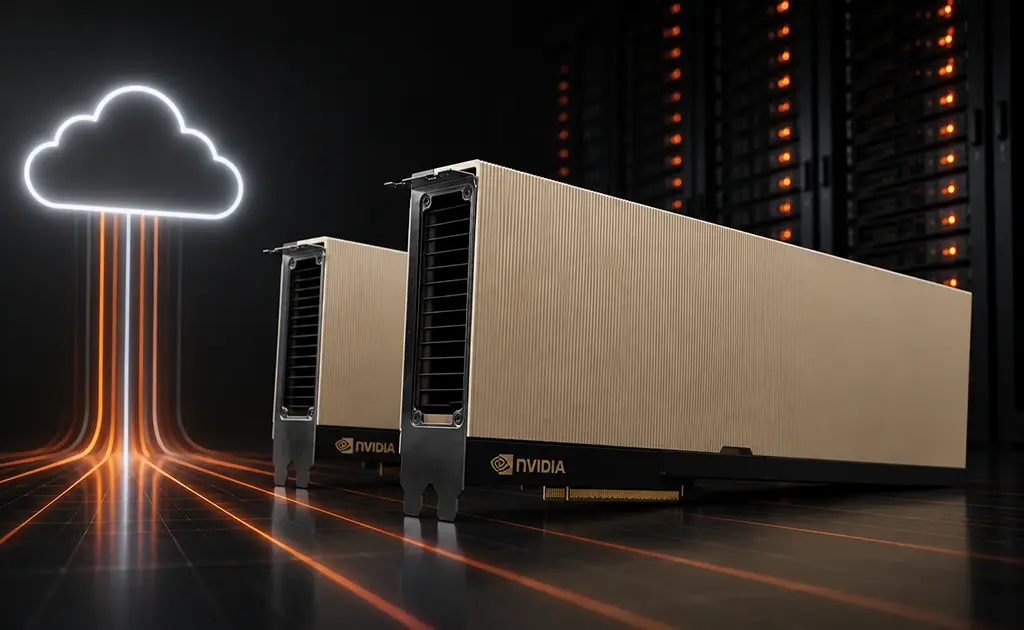
Training a large language model, rendering a complex scene, or running inference at scale all need one thing. They need access to powerful GPUs. Buying that hardware costs a lot, takes time to get, and goes out of date fast. GPU as a Service (GPUaaS) fixes this. It lets you rent the exact compute you need, when you need it, and pay only for what you use. This guide explains what GPUaaS is and how it works. It also covers the benefits, how popular GPUs like the A100 and H100 compare, and what to look for in a provider.
Introduction to GPU as a Service
Definition of GPU as a Service
GPU as a Service is a cloud model. It gives you on-demand access to graphics processing units over the internet. You do not own or maintain the hardware. Buying a server full of GPUs can cost hundreds of thousands of dollars. With GPUaaS, you skip that. You spin up a GPU instance in minutes, run your work, and shut it down when you finish. Billing is usually by the hour or by the second. That means your costs go up and down with your usage.
The model handles the hard parts of GPU infrastructure for you. That includes power and cooling, driver updates, hardware failures, and capacity planning. You get a ready-to-use setup with the GPU, CPU, memory, and storage you pick. It often comes with common frameworks like PyTorch, TensorFlow, and CUDA already installed. This makes GPUaaS a strong fit for AI, machine learning, high-performance computing, 3D rendering, and scientific work. Any job that needs heavy parallel processing power is a good match.
Evolution of GPUaaS in the cloud landscape
GPUs were first built to speed up graphics. But they can do thousands of calculations at the same time. That made them perfect for the math behind deep learning. As AI research grew in the 2010s, demand for GPU power outpaced what most companies could buy and house on their own.
Early cloud GPU options from the big providers were a start. But they were often costly, hard to get during shortages, and confusing to price. A new group of GPU-focused cloud providers stepped in. They worked to make high-performance GPU compute easy to get and affordable. Now the AI boom has made GPUaaS common. Businesses of every size rent GPUs the same way they rent storage or bandwidth. That includes solo researchers and large enterprise teams.
Key Advantages of GPUaaS
Cost-effectiveness and scalability
The biggest benefit of GPU as a Service is the cost. One high-end data center GPU can cost tens of thousands of dollars to buy. A full multi-GPU server costs much more. With GPUaaS, that big upfront cost turns into a steady, pay-as-you-go expense. You might pay a few dollars an hour for an H100. You might pay under a dollar an hour for an entry-level card. Either way, you stop paying the moment your job ends.
Scaling is the other big win. Need one GPU for a test today and eight for a full training run next week? You can scale up and back down with no waiting and no leftover hardware. You never pay for idle power. And you never hit a hard limit when a project takes off.
Access to dedicated GPU servers
Not every job works well on shared, virtual infrastructure. Some jobs need a dedicated GPU server. That gives you the whole machine. You get full GPU memory, full bandwidth, and no other users fighting for resources. This helps with training that needs steady speed, inference that needs low latency, and work with strict data privacy rules. More providers now offer dedicated and bare-metal options next to on-demand instances. So you can pick the level of isolation your job needs.
Dedicated servers also make speed more predictable. When you control the whole node, you can tune it for your exact pipeline. You get steady throughput and avoid the ups and downs of a busy shared setup. For teams running production inference or long, costly training jobs, that steadiness matters a lot.
Flexibility in resource allocation
GPUaaS lets you match the hardware to the task. A small fine-tuning job might run fine on a single 48GB professional card. Training a large model might need eight H100s linked with fast NVLink. Good providers offer a wide catalog. That ranges from entry-level cards for testing to the newest Blackwell hardware. You can also set the CPU, memory, and storage. So you are not stuck with a one-size-fits-all box.
This flexibility also covers how long you commit. On-demand instances work great for short or test work. Reserved or committed pricing rewards steady, long-running jobs with lower rates. You can mix both. Use on-demand for tests and committed capacity for production. That keeps your costs in line with how you actually use the GPUs.
Enhanced performance for demanding workloads
The hardest jobs depend on GPU speed. That includes training huge models, running real-time inference, and simulating physical systems. Modern data center GPUs offer huge parallel power, large pools of fast memory, and special tensor cores built for AI math. Tools like NVLink and NVSwitch link many GPUs together. They make the GPUs act more like one big accelerator. That is key for models too large to fit on a single card.
By renting current hardware through GPUaaS, you get this speed without a long hardware refresh cycle. When newer GPUs come out, you just move your work to them. There is no reselling, no value loss, and no waiting.
Understanding GPU Options
Comparing A100 and H100 cloud solutions
The NVIDIA A100 and H100 are the two most-used data center GPUs for AI. Picking between them is one of the most common choices teams face. This comes up a lot when setting up an A100 cloud or H100 cloud.
The A100 uses NVIDIA’s Ampere design. It was the workhorse of the deep learning boom. It comes with up to 80GB of fast memory. It still handles a huge range of training and inference jobs. It is also usually the cheaper of the two. The H100 uses the newer Hopper design. It added a special Transformer Engine and support for the FP8 data type. It runs several times faster than the A100 on large language model training and inference. The H100 also has higher memory bandwidth, which helps with memory-heavy jobs.
Here is the simple takeaway. If you train or serve very large models and want the fastest results, the H100 is usually worth the higher price. If you run smaller models, fine-tuning, or budget inference, the A100 often gives better value for the money. Many teams use both. They prototype on A100s and save H100s for the heaviest runs.
Benefits of renting an H100
When you rent an H100 instead of buying one, you get top-tier AI speed for your whole project. You skip the huge upfront cost. And you avoid the risk of the hardware losing value on your books. H100 rental makes sense when you need top throughput for large model training. It also fits when you are racing to ship and want to cut training time. And it works when you only need that much power now and then. Because H100 cloud instances are on-demand, you can grab eight-GPU nodes for a big run. Then you release them the moment it finishes.
Advantages of renting an A100
When you rent an A100, you get proven, flexible AI compute at a lower hourly rate. The A100 is still a great pick for fine-tuning, computer vision, recommendation systems, and inference that does not need the newest chip. For many startups and research teams, A100 cloud instances hit the sweet spot of power and cost. You can do serious work without paying extra for the latest silicon. The 80GB memory option also handles mid-sized models that would feel cramped on smaller cards.
Use cases for LLMs in GPUaaS
Large language models drive much of today’s GPU demand. GPUaaS is built for them. When you rent a GPU for an LLM, you can match the hardware to each stage of your pipeline. Pre-training a foundation model from scratch needs large clusters of linked H100s. Fine-tuning an open-weight model on your own data is much lighter. It often runs on one or a few A100s or professional GPUs. Inference means serving the model to users. That can range from a single GPU for a small launch to a multi-GPU setup for high-traffic apps.
Because you can set up the right config for each stage and tear it down after, GPUaaS removes the guesswork. You do not have to size your LLM infrastructure far in advance. You test cheaply, scale up only for the heavy work, and avoid owning hardware that sits idle between projects.
Pricing Models in GPUaaS
Rental pricing for H100 and A100
GPU rental is almost always priced by the hour. The rate depends on the GPU model and the rest of the config. As a current example, on-demand A100 (80GB) instances can start around $1.35 per hour. H100 (80GB) instances start around $2.73 per hour. Newer hardware like the H200, with 141GB of memory, costs more. Professional or entry-level cards like the L40S, RTX A6000, and A30 can run well under a dollar an hour. Multi-GPU setups cost about as much as the number of GPUs you add. NVLink versions cost a little more for the faster link between cards.
These numbers are a snapshot and change over time. But the pattern stays the same. You pay for the class of hardware and how much of it you use, by the hour. There is no long-term lock-in unless you pick a committed plan for a better rate.
Factors influencing GPU rental costs
A few things set what you actually pay. The GPU model is the biggest factor. Newer, faster designs cost more. The number of GPUs and how they connect also matter. Standard PCIe, NVLink, and SXM each affect speed and price. The CPU cores, system RAM, and storage you attach add to the cost too. Your commitment level matters as well. On-demand pricing gives you the most freedom. Reserved or committed contracts trade some freedom for much lower hourly rates. When you compare providers, look at the full price of a complete, usable instance. Do not just look at the GPU rate alone.
Choosing the Right GPUaaS Provider
Evaluating provider offerings
Providers differ in more than price. Look at how wide the GPU catalog is. Does it cover entry-level cards through the newest generation, so you can grow without switching vendors? Think about availability. Can you actually get the GPUs you need, when you need them, including multi-GPU nodes? Check the setup experience, the quality of pre-built environments and frameworks, and the storage and networking options. See if dedicated or bare-metal servers are there for speed-critical work. Strong support and clear, steady pricing round out the list.
Massed Compute is one example. It offers on-demand access to a wide range of GPUs. That runs from the A30 and RTX A6000 at the entry level, through L40S and A100 cards, up to H100, H200, and Blackwell hardware. It includes single-GPU and multi-GPU configs, NVLink options, and bare-metal and committed pricing for steady work. A strong provider lets you match the hardware to the job and deploy in minutes, not weeks.
Questions to ask before renting GPU resources
- Which GPU models are available, and do they cover both my current and future needs?
- What is the true full hourly cost of a complete instance, including CPU, memory, and storage?
- Can I get multi-GPU and NVLink configs when my models outgrow a single card?
- Are dedicated or bare-metal servers offered for speed-sensitive or privacy-sensitive work?
- How fast can I deploy, and what frameworks or images come pre-installed?
- Is committed or reserved pricing available for long-running production work?
- What support is there if a job fails or I need help sizing my setup?
Conclusion
GPU as a Service has changed how teams get compute. It turns a big hardware project into a flexible, pay-as-you-go service. Maybe you fine-tune a model on a single A100. Maybe you serve inference on professional GPUs. Maybe you train a large language model across a cluster of H100s. In every case, GPUaaS lets you rent the right hardware, scale on demand, and pay only for what you use. To get it right, know your workload, pick the GPU that fits it, and choose a provider with the catalog, availability, and clear pricing to support you as you grow.
Ready to put this to work? You can explore on-demand GPU options and deploy an instance in minutes with Massed Compute.
FAQs
GPU as a Service is a cloud model that gives you on-demand access to graphics processing units over the internet. You rent GPU compute by the hour or second instead of buying and maintaining hardware. That makes it a good fit for AI, machine learning, rendering, and high-performance computing.
Create an account and choose a GPU config that fits your stage. Fine-tuning often runs on one or a few A100s. Large-scale training needs several H100s. Then deploy an instance. You can scale up for heavy training and release the resources when the job is done, so you pay only for the time you use.
A dedicated GPU server gives you the whole machine. You get full GPU memory, full bandwidth, and no other users competing for resources. That means steady, predictable speed and stronger data privacy. It is a strong choice for production inference, long training jobs, and work with strict security rules.
The A100 uses the Ampere design. It is flexible and cost-effective, and it works well for fine-tuning and inference. The H100 uses the Hopper design. It is much faster for large language model work thanks to its Transformer Engine and FP8 support, but it costs more per hour. Pick the A100 for value and the H100 for top speed on the largest models.
Very scalable. You can start with a single GPU and grow to multi-GPU, NVLink-linked nodes as your workloads grow. Then you can scale back down when demand drops. Because you pay only for active use, you avoid both idle hardware and hard limits.